Every change recorded, nothing deleted
SureTrain keeps an audit trail of every change, masks National Insurance numbers by default, and gives your auditor read-only access that ends on the date you set.
- Every finished course and its pack in Records, with Download all
- Your auditor's own sign-in, set up in Settings
- National Insurance numbers masked, every reveal logged
What's on record
- Register unlock
- recorded in the audit trail
- Course type or dates corrected
- with a record of each correction
- Course activity
- every course has its own activity log
- Learner record
- correct a field or merge duplicates, with an activity history
Nothing is deleted.
- Every change recorded. Who, what and when, in the audit trail.
- Locked means locked. Once a finished course pack is locked, the database refuses any further change to it.
- Certificates kept. A list shows certificates due for review once they have been kept 7 years. Certificates are never deleted.
Masked by default, revealed for a reason
National Insurance numbers are masked by default. Revealing one is a recorded action, shown in the learner's Activity history.
Revealing a National Insurance number
- Who can reveal
- Super admin and Admin only
- Before revealing
- they must give a reason
- Logged
- who, when and why
- Refused attempts
- logged too
What your auditor can see, and for how long
15 minutes
How long your auditor's single-use sign-in link lasts before it expires.
- Reading, never editing. Auditor access is read-only, to Self-check, Records and Backups.
- Checked on every request. Access ends on the date you set, and this is checked on every request.
Staff accounts offer two-step sign-in with an authenticator app, and you can see active sessions and reset a staff member's sign-in codes.
Statuses in words, never colour alone
Statuses are always written as words, for example Up to date, Due in 12 days or Expired. Colour and an icon only back up the word.
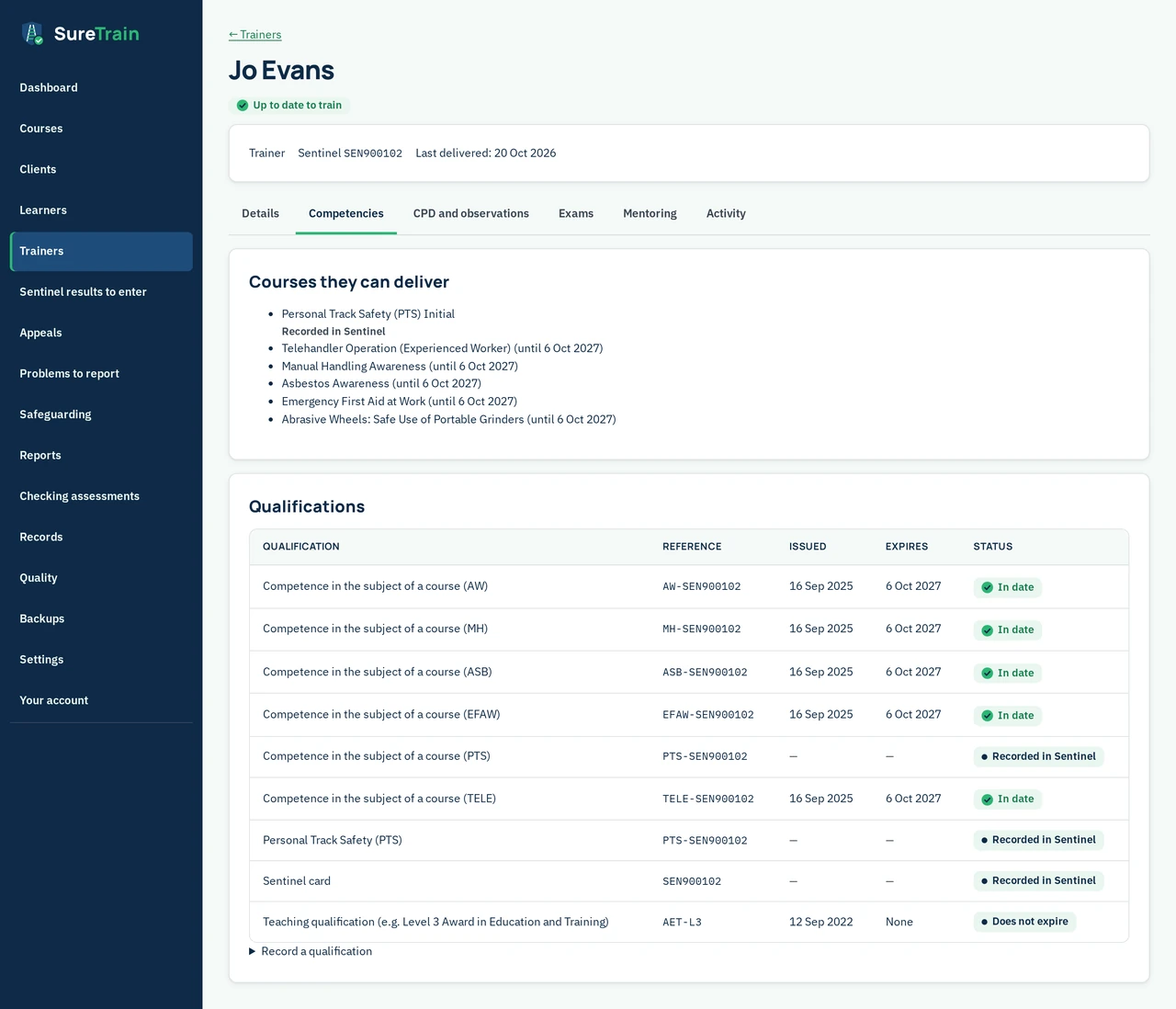
- A trainer's "Up to date to train" or "Not up to date to train", with the reasons
- A qualification's "In date", "Recorded in Sentinel" or "Does not expire"
- A Sentinel result's "Due soon", "Due today", "Overdue" or "Done late"
The records behind the records
Learners.
Identity, sponsor history, competences, certificates and courses, on one page. Correct a field, merge duplicates, and read the activity history.
Checking assessments.
Checks on finished courses, assessor risk and a sampling plan. Verifier qualifications, answer keys and specialist-only staff with written permission sit alongside.
Appeals, problems and safeguarding.
Appeals are recorded, and problems logged with a report-by deadline. Your safeguarding lead is named, with a concern log.
Certificates.
A web page and a PDF with a QR code, and a public check page. No certificates are issued for PTS or other Sentinel courses.
Backups.
A history of backups. Your auditor can see it too.
Settings.
The document logo, dates and deadlines, safeguarding and auditor access. Plan and add-ons and course rules are set here too.
Questions about records
Next: Quality Assurance Suite, an add-on.
What about courses that have ended but aren't closed?
Records lists them too, so a pack that is still open shows beside the finished ones.
Is there a report of late work?
Yes. The Late report lists what was done late, and the course register report counts retrospective signatures.
Which records have an activity history?
Every course, every learner and every trainer: the course activity log, the learner's Activity history and the Activity tab on the trainer profile.
Can we see how long each pack is kept?
Yes, with the Self-check Suite: the Records index shows it for each finished pack, with its countersign status.
See the audit trail on your own records
See a demo, or run a pilot at one site with a handful of courses. We set it up with you.
- Fill in the form.
- Send the email your app prepared.
- We reply.